The lab, 02
The member card
Every Find a Drive member has a card in a colour of their own, chosen the way you'd choose a car's paint: from a chart of colours, in a finish. The browser's ordinary styling, CSS, could only take the paint so far, so we wrote a shader, a small program that runs on the graphics card, to light each finish as real light would. The CSS version stays underneath for any device that can't run it.
- Made for
- Find a Drive, our app for finding and planning great drives
- When
- October 2026
- Made with
- WebGL2, the browser's 3D graphics, and a shader of our own, with no graphics library
Painted on the graphics card
This is Find a Drive's own painter, running here. Choose a paint and a finish, and move your mouse over the card to move the light across it.
 Find a Drive
Member
@your.name
Your nameSince 2026
The type on the card is real text, not part of a picture. Each side has a layer of paint under the type and a layer of lacquer over it, so the words stay sharp at any size, can be selected and read aloud, and the clear coat's reflections still pass over the printing, as they do on a real card.
The card's tilt is worked out once and used twice: the page tilts the card towards your mouse, and the shader is handed the same angle, to six decimal places, so the reflections land where the card actually is.
Five finishes, one shader
One shader paints every finish, in about 12 KB once compressed. It's drawn on a single triangle big enough to cover the card, the usual trick for painting a whole rectangle at once. The finishes are the ones you'd order a car in.
- Gloss
- The paint, lit, under a clear coat that reflects more at a glancing angle, as lacquer does.
- Metallic
- Two sizes of silver flake under tinted lacquer, each flake a tiny mirror tipped its own way, catching the light as the card moves.
- Pearlescent
- A film over the paint 900 nanometres thick, worked out separately for red, green and blue light, so its colour shifts with the angle, tinted with the paint's neighbouring hues.
- Chrome
- A mirror under coloured lacquer, reflecting a little world of its own: a sky, a bright horizon, dark hills, and the road coming towards you.
- Matte
- No clear coat at all: soft light that wraps round the surface, a brightening at grazing angles, and a fine grain you can almost feel.
One strip of light
The first version reflected a softbox and a round spotlight, like a portrait studio. Cars are photographed under a single long strip light, so that's what the card reflects now: one clean streak with a crisp edge, fading away from it, the rest of the card lifted a little beyond it, and a faint ripple through the reflection, like the orange-peel texture of real car paint.
The metallic flake fought it at first. Each flake is a tiny mirror tipped its own way, but worked out from the card's angle alone, their sparkle merged into one patch. Worked out from each flake's own tilt, they glint one by one.

The paints
Ten colours, named the way paint is, and Just ink, which keeps to Find a Drive's own black. A paint's lighter and darker shades differ only in lightness, never in hue, so a paint stays itself and stays legible: a contrast of at least 3.5 to 1 against the light page, and 4.5 to 1 against dark things like the card.
- British racing green
- Petrol blue
- French racing blue
- Heather
- Rhubarb
- Pillar-box red
- Oxblood
- Burnt orange
- Gorse
- Saddle
Kind to the battery
- One painter for every card
- A browser lets a page run only a handful of 3D drawing surfaces at once, so one hidden surface paints every card on the page onto a single shared sheet, then hands each card its own copy. On the computer we measured, each redraw took about a third of a millisecond for one card, and two thirds for six.
- Only when there's something to see
- It paints only while a card's on screen and facing you: at the screen's own rate while it follows your mouse, a tilt or a turn, thirty times a second while the light drifts, and not at all after 45 seconds untouched.
- It knows when to stop
- On a graphics card too slow for it, it gives way to the plain card: after ten frames to warm up, if the last forty come slower than 22 a second. Thirty frames a second is fine.
- The plain card underneath
- A plain version of the card, styled by the browser in CSS, shows until the shader's first frame, and stays wherever the shader can't run: in browsers without WebGL2, on computers drawing without a graphics card, in high-contrast mode, and for a moment after a browser resets its graphics.
- The light, in your hand
- The light follows your mouse, or your phone's tilt on phones that share it without asking. An iPhone would ask your permission first, so on an iPhone it doesn't follow the tilt.
- Or held still
- If your device asks for less motion, the card neither leans nor turns, and the shader paints it once, with the light at rest.
More from the lab
Everything in the lab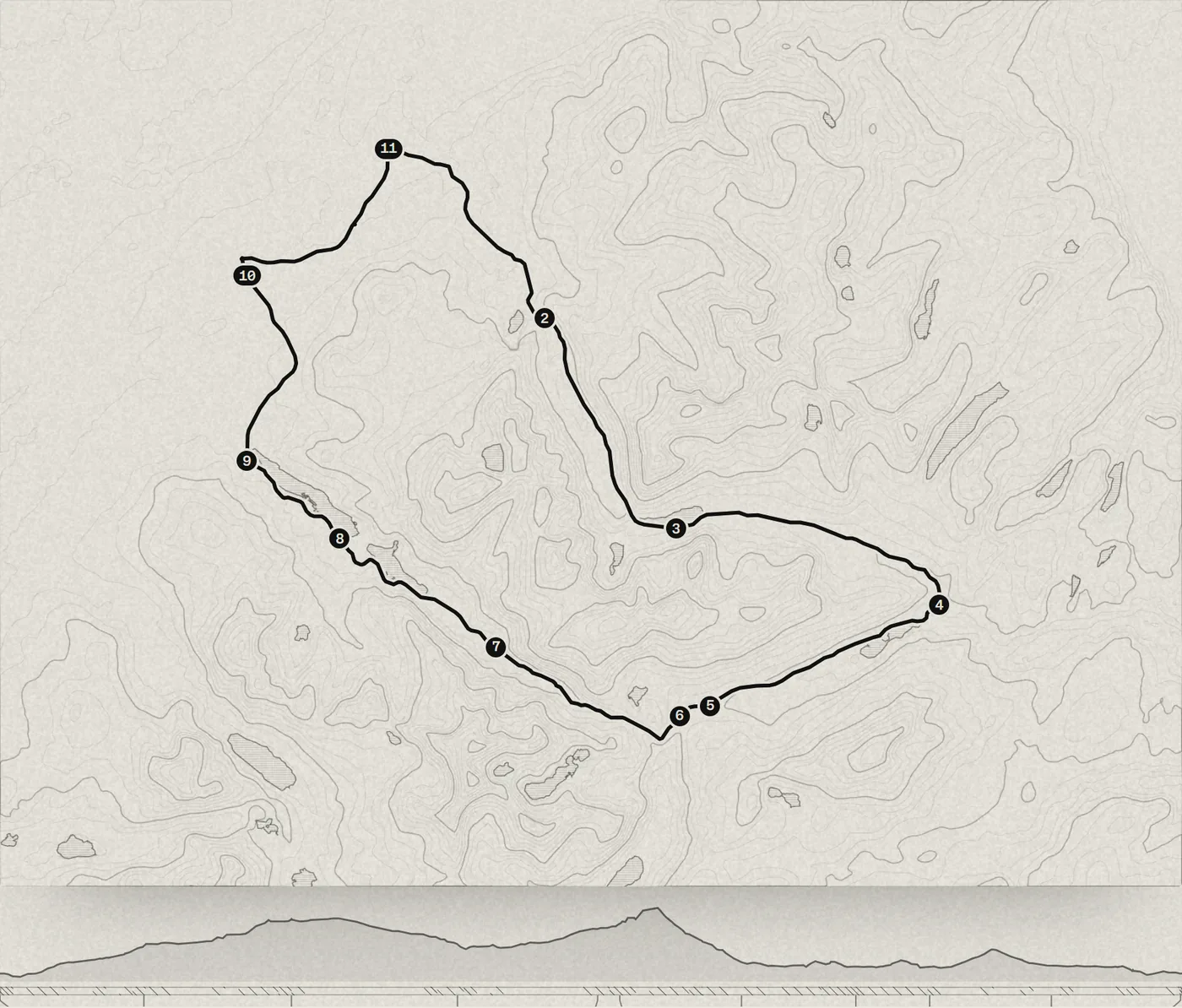
03, for Find a Drive
The drive viewer
How Find a Drive draws every route on a contour map of the land it crosses, plays it out stop by stop, then opens it in 3D to look round the hills or fly the road.
Read it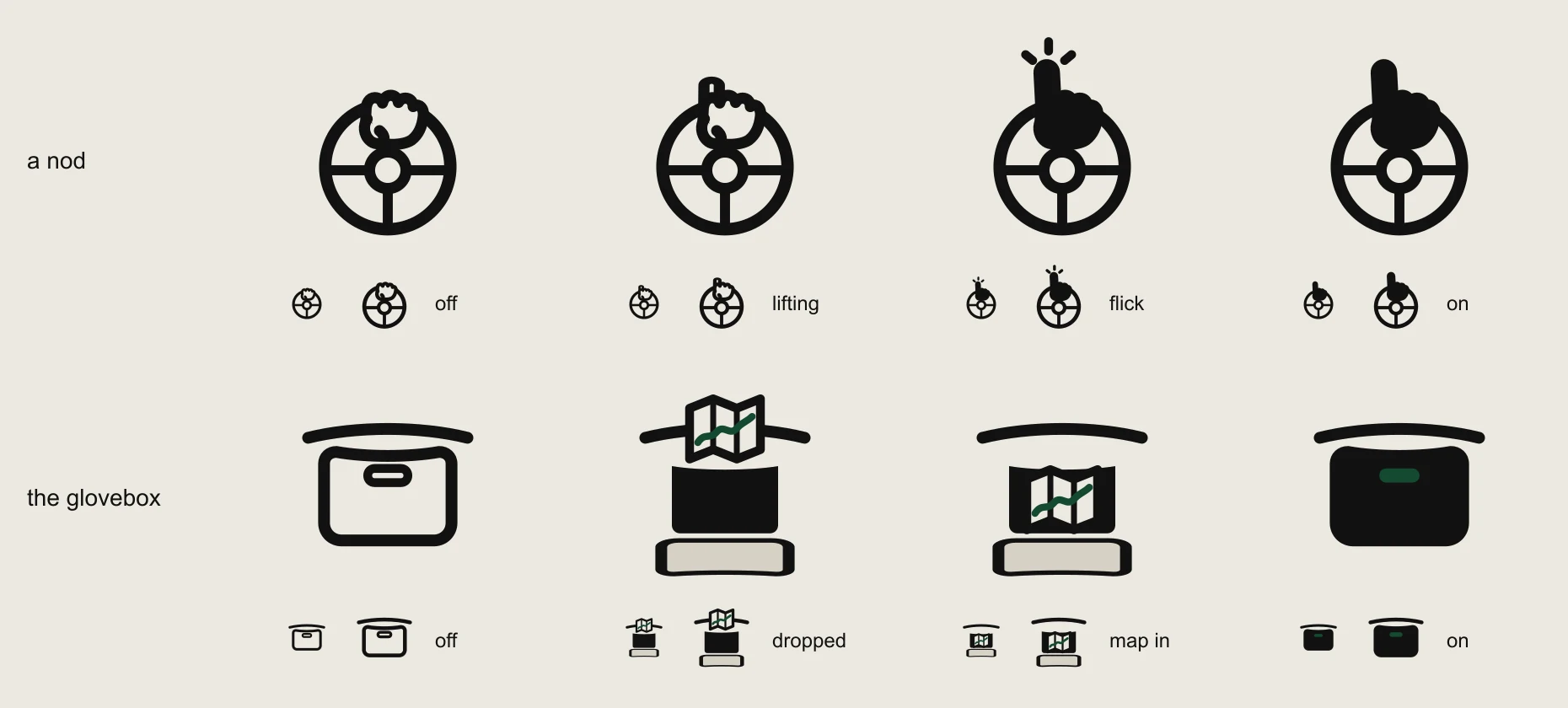
04, for Find a Drive
A nod and the glovebox
Find a Drive's buttons for liking a drive and keeping it for later, drawn from what drivers already do: a finger lifted off the wheel, and a map in the glovebox.
Read it


Contact
Talk through your project.
Tell us what you'd like to build, or what's getting in the way. A few lines is plenty to start with, and the first conversation is free.